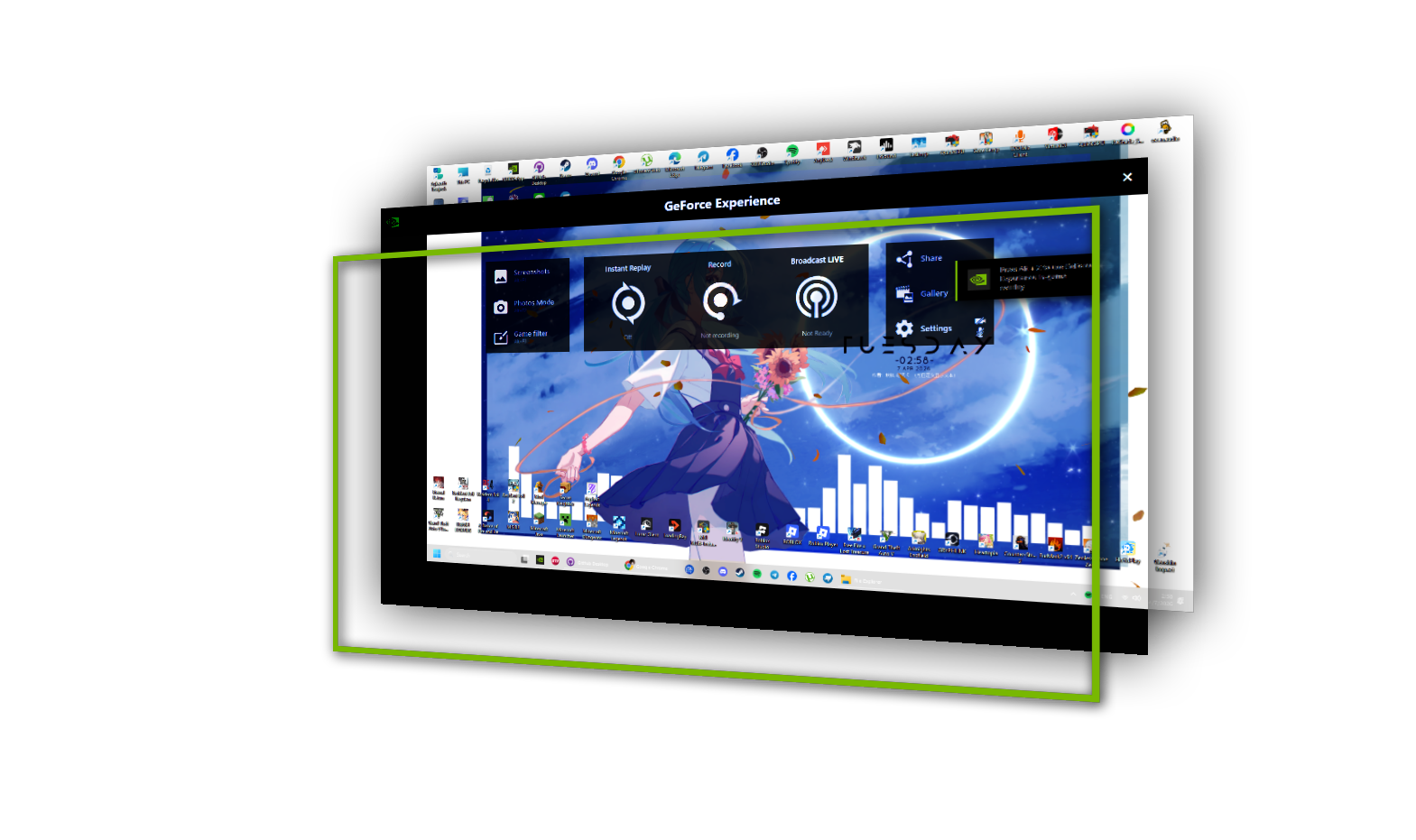
This stable release of NVIDIA ShadowPlay is built for smooth and reliable everyday use, delivering high-performance
recording with minimal impact on gameplay.
This experimental build provides early access to new features and ongoing improvements.
While it offers the latest updates and faster iteration,
it may include bugs and is recommended for advanced users who want to test upcoming changes.
Professional-grade features inspired by NVIDIA ShadowPlay
Record your gameplay or desktop in real time.
High-quality output with minimal performance impact, fully powered by NVIDIA NVENC hardware acceleration.
Never miss the action. Automatically capture and save the last few minutes of your gameplay with a single click.
Snap crisp, high-resolution screenshots instantly — perfect for sharing or reviewing your best moments.
Safe and secure by design. No memory injection, no hooks — just pure stability.
Fully optimized with NVIDIA NVENC via FFmpeg. Fast, efficient, and reliable GPU-based encoding.
Modern capture APIs + hardware encoder status
Full GPU encoding via FFmpeg, minimal performance impact.
Intel QuickSync Video support — planned.
AMD Advanced Media Framework encoder on roadmap.
Modern Windows 10/11 API, high-performance, borderless window capture. Recommended.
DirectX-based duplication, minimal latency, captures exclusive fullscreen (with limitations).
Legacy fallback, CPU heavy. Use only when needed.
Ensure your system meets these specifications for optimal recording performance
Windows 8 / Server 2012 or newer
(64-bit required)
.NET Desktop Runtime 8
The .NET Desktop Runtime enables you to run existing Windows desktop applications.
For best results, use NVIDIA hardware encoders (e.g., h264_nvenc) via FFmpeg at 1920 × 1080 resolution. This ensures minimal CPU usage and maximum recording quality.
Each module with distinct border color — real stack components
Screen capture abstraction: Windows.Graphics.Capture, Desktop Duplication, GDI fallback. Provides unified interface for frame grabbing.
User settings, hotkey manager, UI state, theming, and configuration persistence. Responsive design and smooth animations.
FFmpeg encoding pipeline, replay buffer management, hardware acceleration dispatcher, and recording session controller.
System tray integration, toast notifications, error reporting, status updates, and user alerts for recording events.
In-game borderless overlay with FPS counter, recording timer, hotkey hints. Built with No-Hook for anti-cheat compatibility.
An app that communicates using the TCP protocol.
With an API server.
Everything you need to know about the project
Driven by passion, built through 3+ years of continuous innovation and refinement.

The creator and driving force behind the entire project — from the first concept to full execution.
Responsible for architecting the system, designing the user experience, and engineering every core component
including
Known for pushing technical boundaries and turning complex ideas into seamless, real-time experiences.
Continuously refining performance, scalability, and innovation to deliver a product that stands above the rest.
Not just building software — defining the experience.
Supporting the project from behind the scenes through resources, encouragement, and continuous belief in the vision.
As the silent origin of continuity, his presence ensures that the project never truly fades,
even in moments of inactivity or uncertainty.
This is not merely support —
this is the foundation that allowed rebirth to happen.
As the three-year program neared its end, he walked in and offered support—not just support, but hope… which rekindled ScotcsDuluka's determination and reignited his fighting spirit!
A key contributor supporting the development and refinement of the system through rigorous testing and validation.
Responsible for identifying issues, verifying functionality, and ensuring overall system stability and reliability.
Plays an essential role in maintaining quality standards and helping shape a smoother, more polished user experience.
Ensuring everything works — exactly as it should.